To do cards by Frido
Swipe through tasks, plan your day, and focus on one thing.

- iPhone
- iPad
- Mac
To do cards by Frido is a to do list and daily planner for scattered minds and busy days. Decide what to do today and what can wait, then start a focus timer to work on one task at a time.
One card at a time
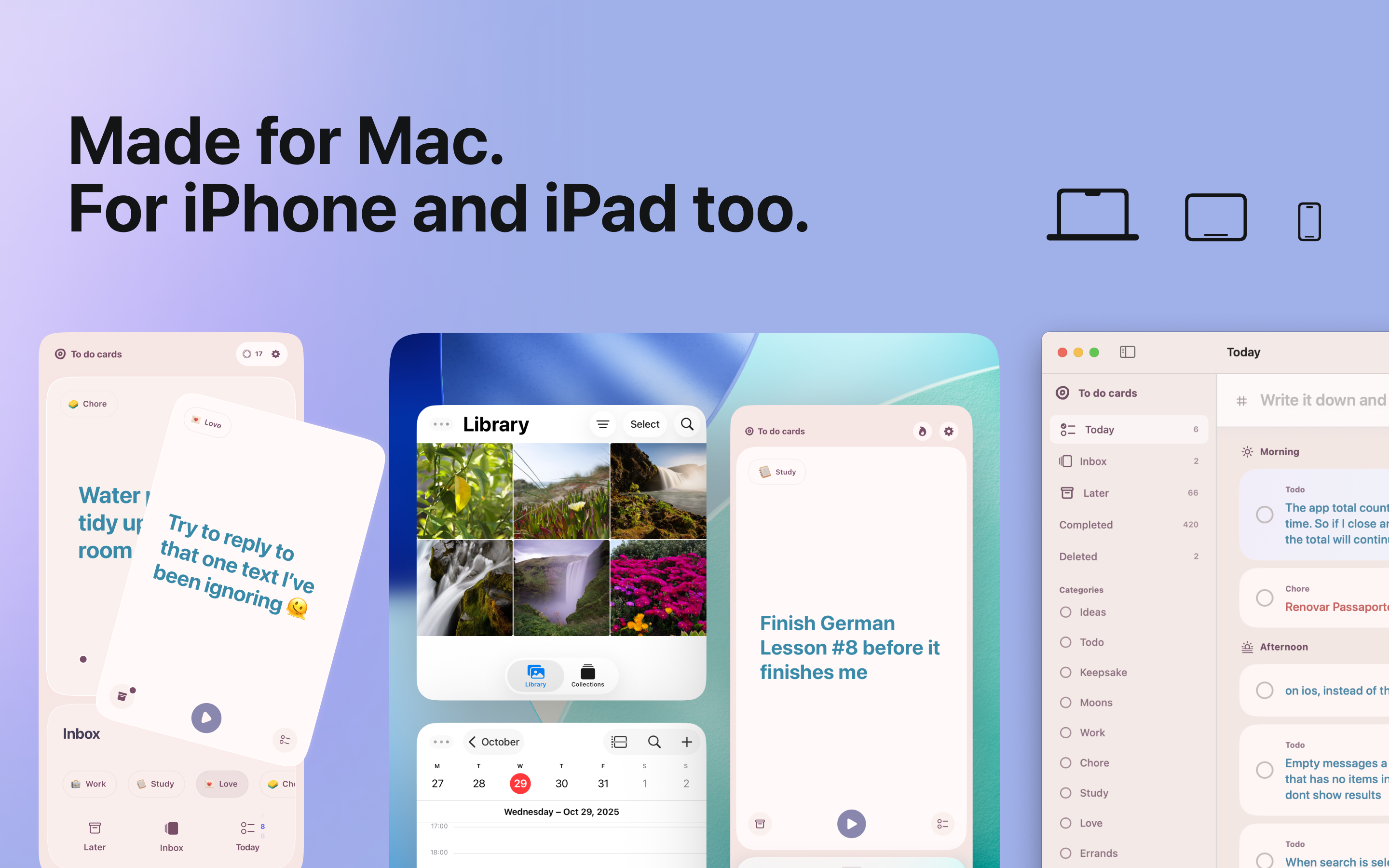
Swipe through your inbox to decide what belongs in Today and what can wait until Later. Instead of tackling the whole list, make one small decision at a time.
Give your day some shape
Choose what to do in the morning, afternoon, and evening without scheduling every minute. Make regular tasks repeat so you do not have to add them again, and use reminders to come back to your plan.
Give one task your attention
Start a focus timer for the task you want to work on. Break a bigger task into smaller checklist steps, then look back at what you finished and how much time you spent on it.
Keep the next task in sight
See today's tasks in a Home Screen widget, or pin a task you want to keep visible. Use categories to separate things like work and home, and mark tasks as Quick, Fun, or Urgent to help choose what to do next.
Native Mac app
See the bigger picture at your desk, then take your tasks with you on iPhone and iPad.
Everything in To do cards
- Swipe through task cards instead of one long list
- Group today's tasks into morning, afternoon, and evening
- Start a focus timer directly from a task
- Break bigger tasks into smaller checklist steps
- See your next task in a Home Screen widget
- Set reminders for important tasks
- Keep routines going with recurring tasks
- Organize tasks with categories and Quick, Fun, or Urgent labels
- Review completed tasks and the time spent focusing on them
- Sync tasks across devices with iCloud
Yours to keep. No ads or subscriptions.
A few things you might wonder.
How can I plan my day without an overwhelming to do list?
Start by sorting your inbox one card at a time: Today for tasks you want to do now, Later for those that can wait. Group Today tasks into morning, afternoon, and evening, then use a focus session to work on a single task.
Can I sync my to do list between iPhone and Mac?
Yes. With iCloud sync, the same tasks are available on iPhone, iPad, and the native Mac app. Add or edit a task on one device, and the change syncs to your other devices.
Can I use recurring tasks and reminders in my daily planner?
Yes. Set a task to repeat on the days or intervals you choose, so regular chores and routines return without being added again. Reminders help you plan your day and return to your tasks; you do not need to give every task an exact time.
Can I see my next task in an iPhone Home Screen widget?
Yes. A Home Screen widget shows tasks from Today without opening the app. You can also pin a particular task to keep it visible there.
Is there a to do list app for Mac and iPhone with one purchase?
Yes. One purchase includes the iPhone, iPad, and native Mac apps, with all features included. You do not need to buy a separate version for each device.
Make room for what matters.
Plan your day, choose a task, and take it one card at a time.
Available on iPhone, iPad, and Mac. Requires iOS 18.1, iPadOS 18.1, or macOS 15.0 or later.